Federation with other instances (Mobilizon, Gancio,...)
Info
You have to be administrator to access this section
You can manually add another Mobilizon instances to federate with.
The admin of the other Mobilizon instance will need to approve the follow request from your instance in order to enable the federation.
Groups and events published on an instance that you follow will be automatically published on your own instance. For more information about federation with Activitypub and the fediverse, see section Federation with ActivityPub
Similarly, you can federate with other software who support ActivityPub, for example Gancio.
Have a look at Mobilizon collaborative list of instances (where you can also register yours) and other fediverse instance lists, Fedidb and Fediverse Observer list.
Follow a new instance
First, you need to go to the "Instances" administration section.
- Click on your profile picture
- Click on
Administration - Click on
Federationto see the Instances list
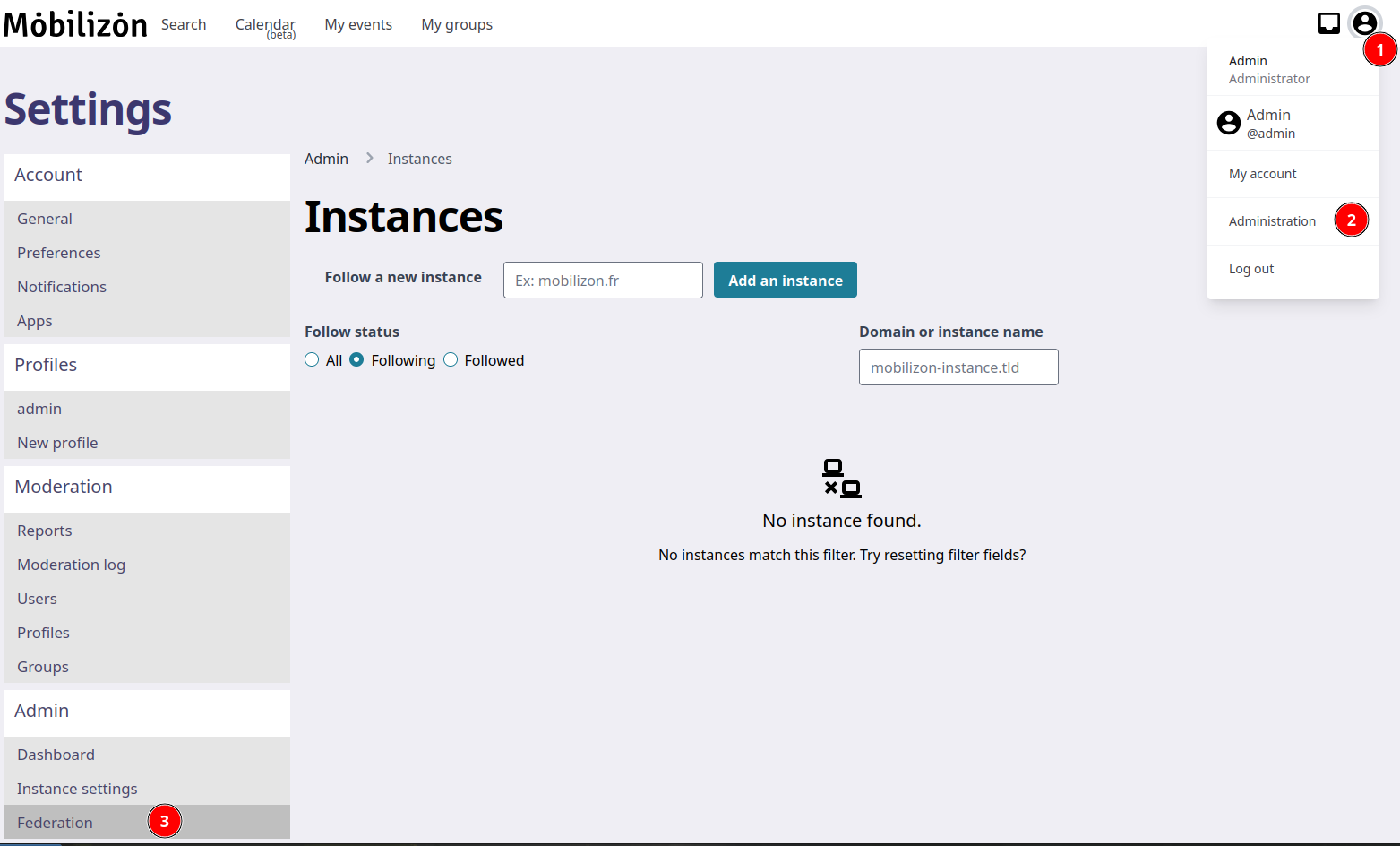
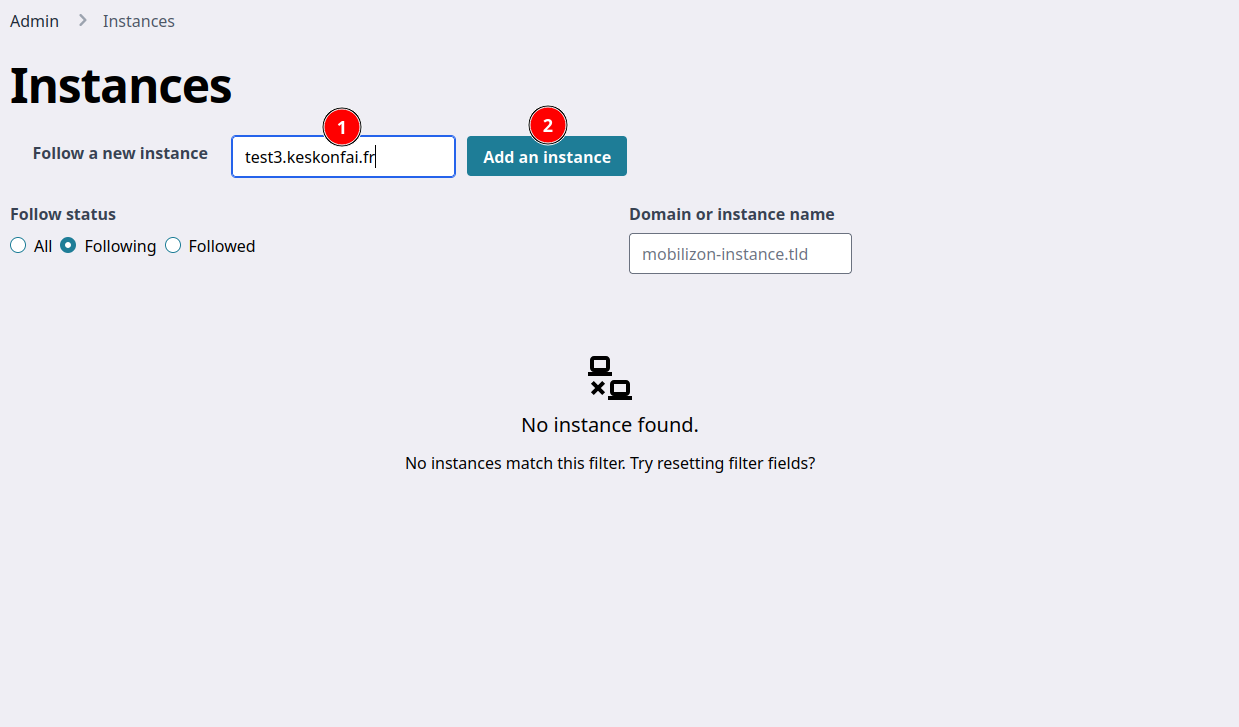
In the Instances list administration page :
- Write the name of the instance you want to follow
- Click on
Add an instance
You will see information about the instance and a button to cancel the follow request.
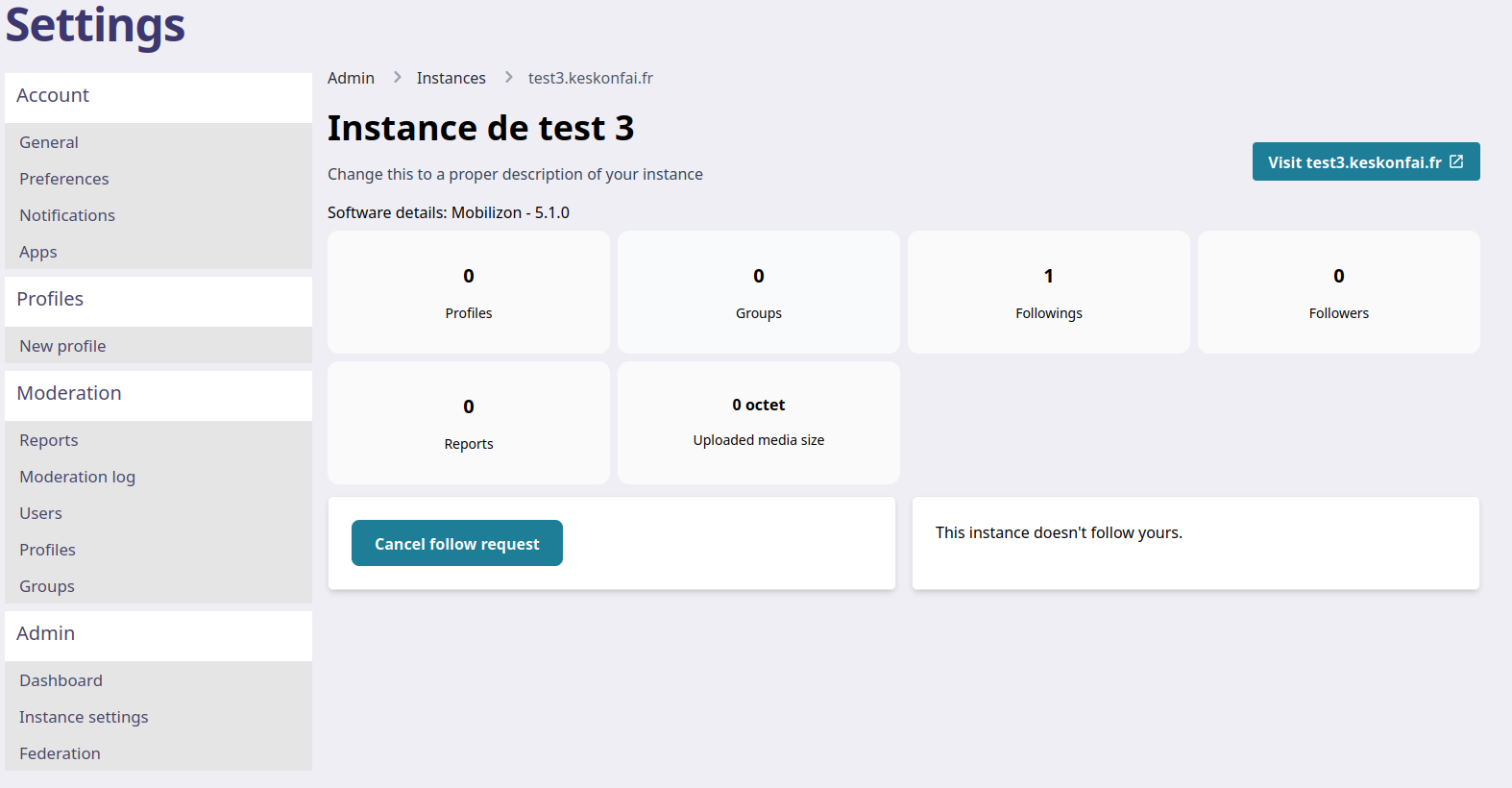
Cancel a follow request
Click on the Cancel follow request button.
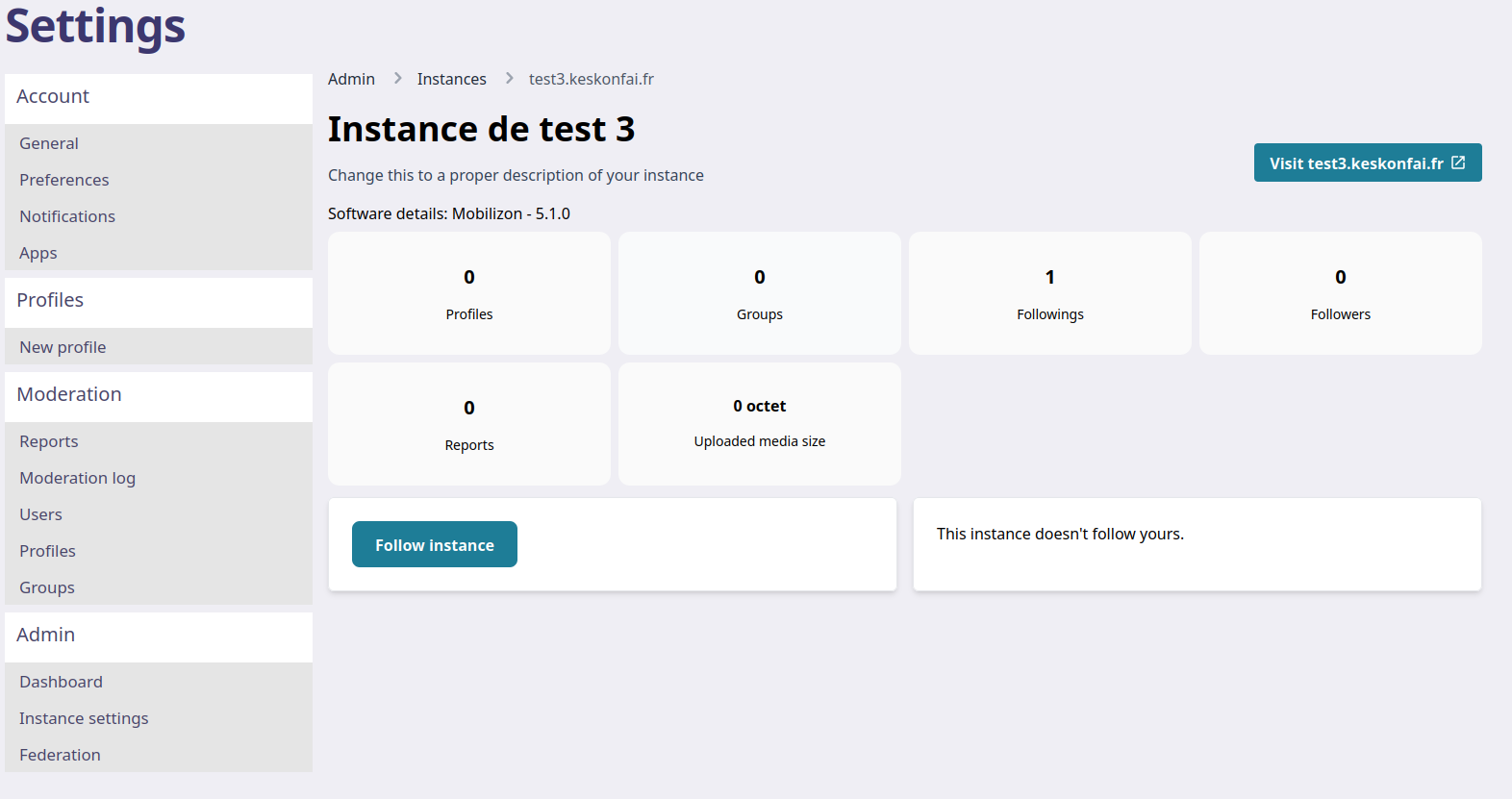
You will see it worked when the Cancel follow request button is replaced by a Follow instance button. You can click on it to follow again the instance.
Accept or reject a follow request
In the Instances list administration page, you will see an instance with the text "Follows us, pending approval".
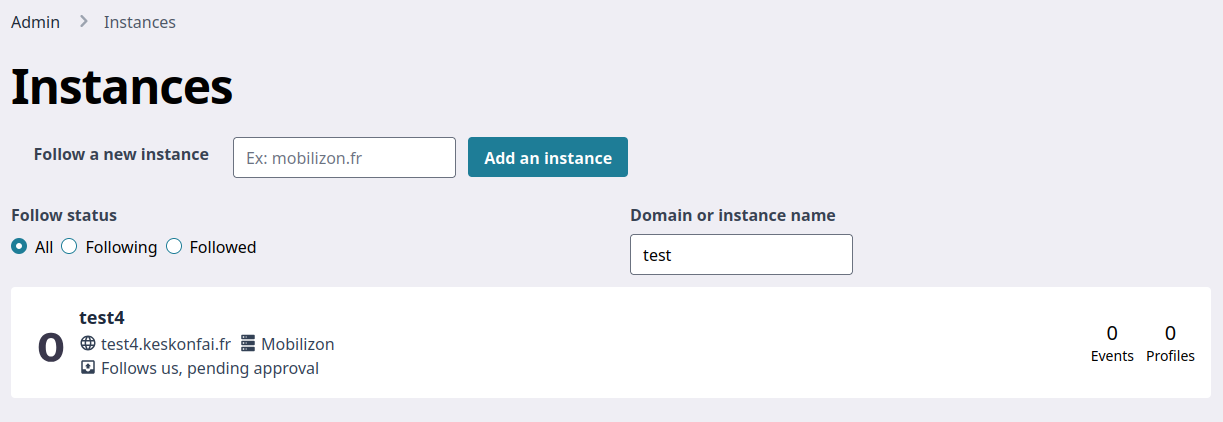
Click on this instance to see the detail.
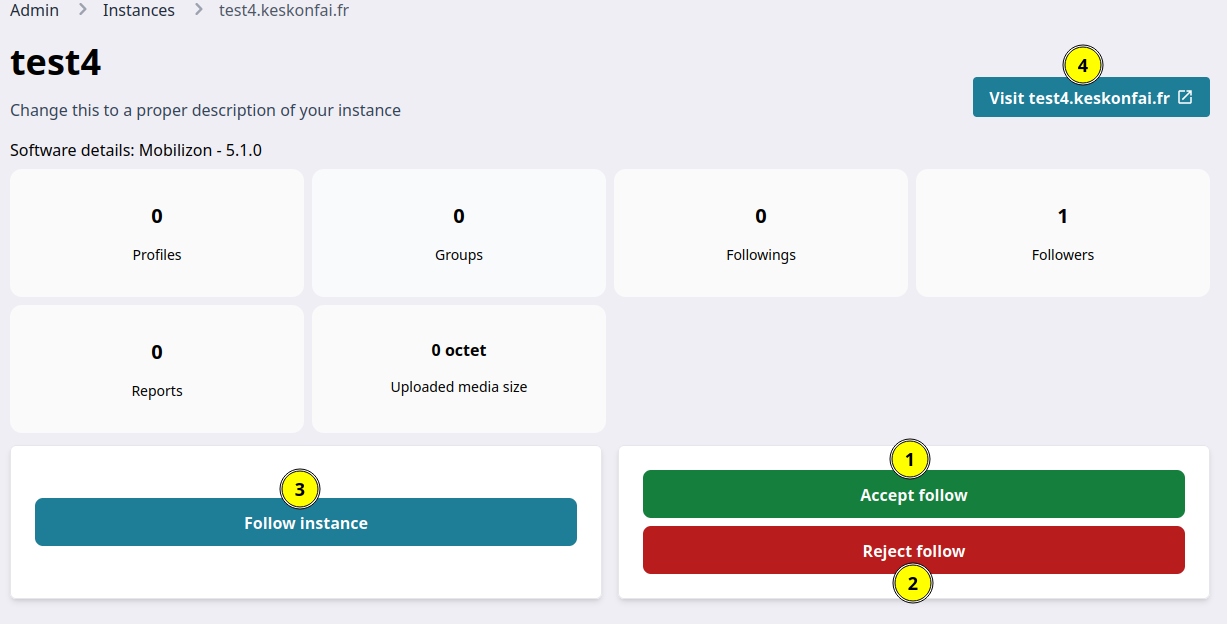
- You can click on the
Accept followbutton to notify the other instance of your new events. - You can click on the
Reject followbutton to refuse to share your events with the other instance. - You can click on the
Follow instancebutton to also ask to follow the other instance. - You can click on the
Visit…button to discover the website of the other instance.
Limitations
-
A subscription is one-way; for example A chooses to subscribe to B, this does not mean that B contains events from A. If A subscribes to B, A will have all its own events AND the public events of B.
-
Only the content modified after the subscription is actually transmitted. If A subscribes to B, B's preexisting events are not on A.
-
Only public content is transmitted (by definition! otherwise private content would not be private). If A subscribes to B, A does not see B's private events. If you are a user on B and authorized to see certain private content, you see more of it than by going to A.